Start Training
For the detector to recognize anomalies, it needs to be trained on normal system behavior. So before each training phase, ensure that the current behavior is deemed normal.
How-to
Step-by-step
Choose a detector
The overview page should list all detectors that have been created. Click on the tile of the detector whose state you want to change.
Start Training
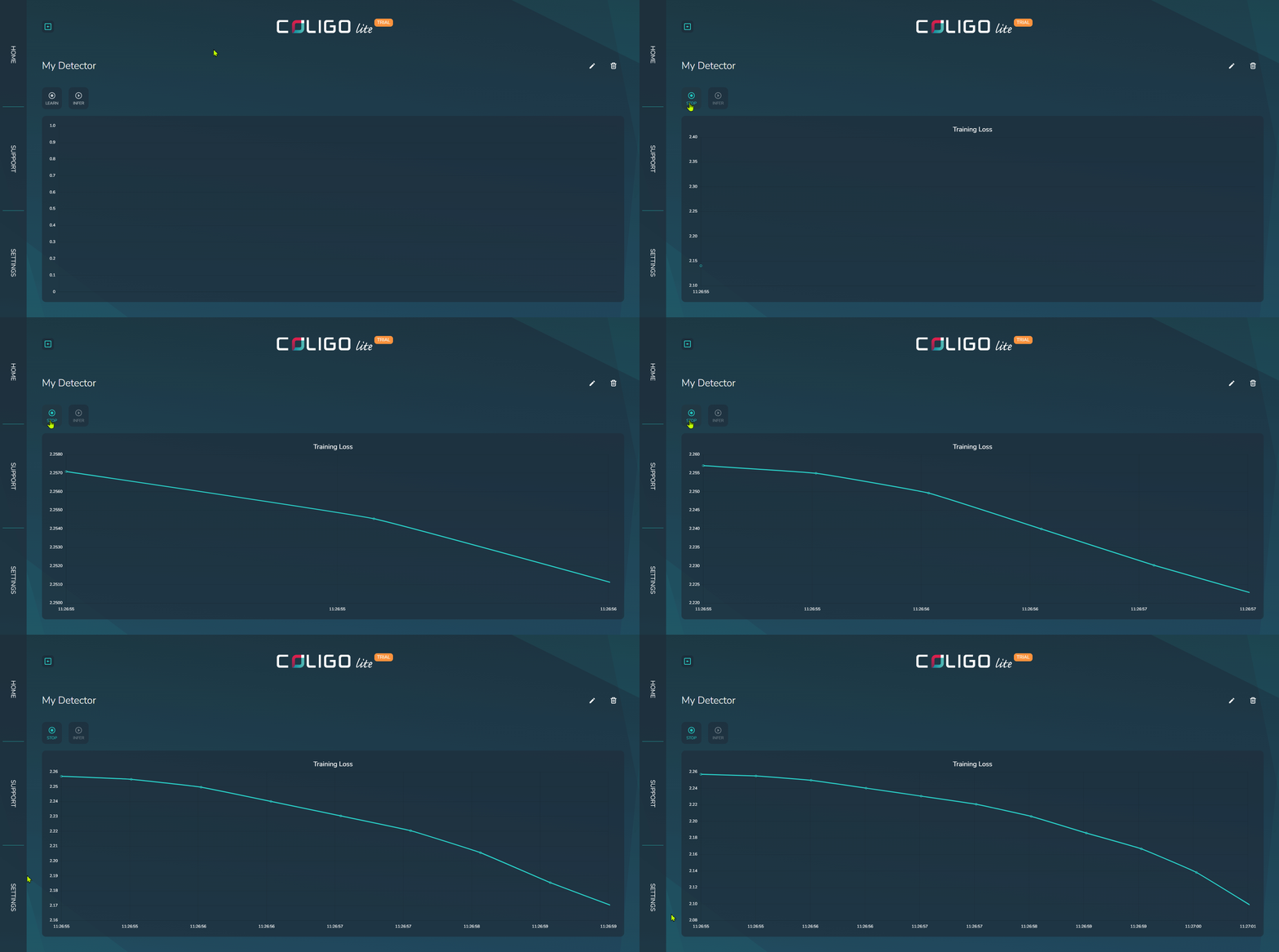
Every time you want to start a training phase, click on the LEARN button. This will change the detector to the training state. The detector learns on short time series, which means it will buffer a sequence of data before it can run training iterations. This means:
- All defined JSON paths must be observed in a message at least once.
- Values need to be buffered to reach the minimum sequence length.
If the buffered sequence is not long enough, the percentage of the minimum length will be displayed. As long as not all JSON paths have been observed, the screen will show which ones are missing.
Once both conditions are met, the detector will start training iterations while displaying the training metric. This metric should be monotonically decreasing, which signifies that training is progressing effectively on the data. As soon as there are no substantial improvements to the training metric, you can start detecting by switching to inference.