Getting Started
COLIGO Lite is a web application that connects to an MQTT broker and uses data transferred in messages to train Machine Learning models incrementally. It is built as a Docker image and can be obtained from different sources.
Requirements
- ARMv8 or x86_64 CPU
- Ports 2111 (HTTP) / 2112 (HTTPS) must be available
- 1 GB of available storage
Installation
The recommended way to install COLIGO Lite is through an official store or marketplace that we support. If this is not convenient for you or if you need customized solutions, the application can also be deployed using Docker alone. Please contact us for more information.
Stores
- Flecs Technologies
- Coming soon: OI4 Store
Access the Webapp
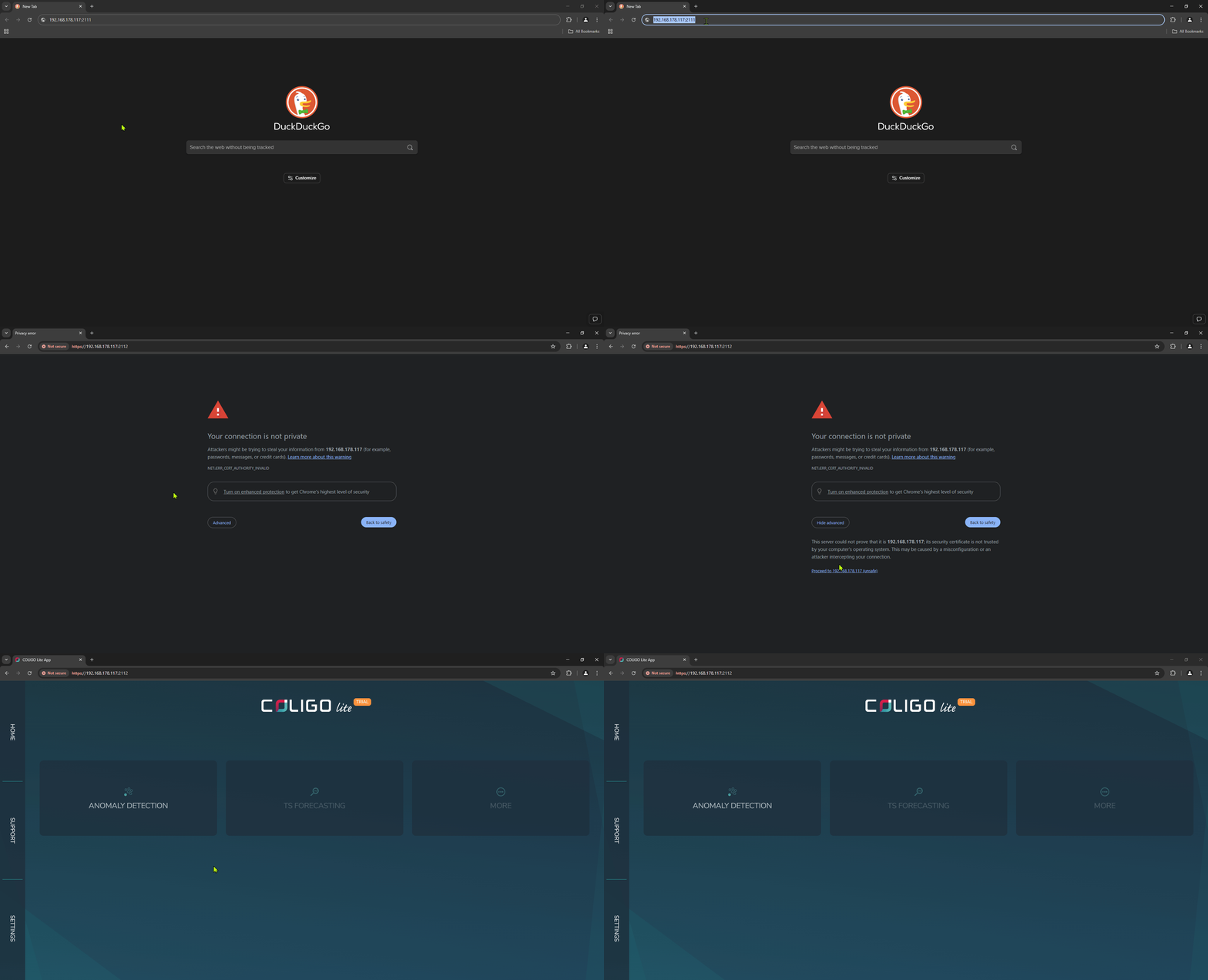
After starting the container, use any web browser that is on the same network as the host running the application and browse to <hostname>:2111 or <host-ip>:2111.
The application uses a self-signed certificate for HTTPS, so you will likely be prompted by your browser to accept this.
For example, in Chrome: