Run Forecaster
After creating a forecaster, it will automatically start running and listening to the configured MQTT topic.
How-to
Step-by-step
Choose a forecaster
The overview page lists all created forecasters. Click on the tile of the forecaster you want to monitor.
Buffering data
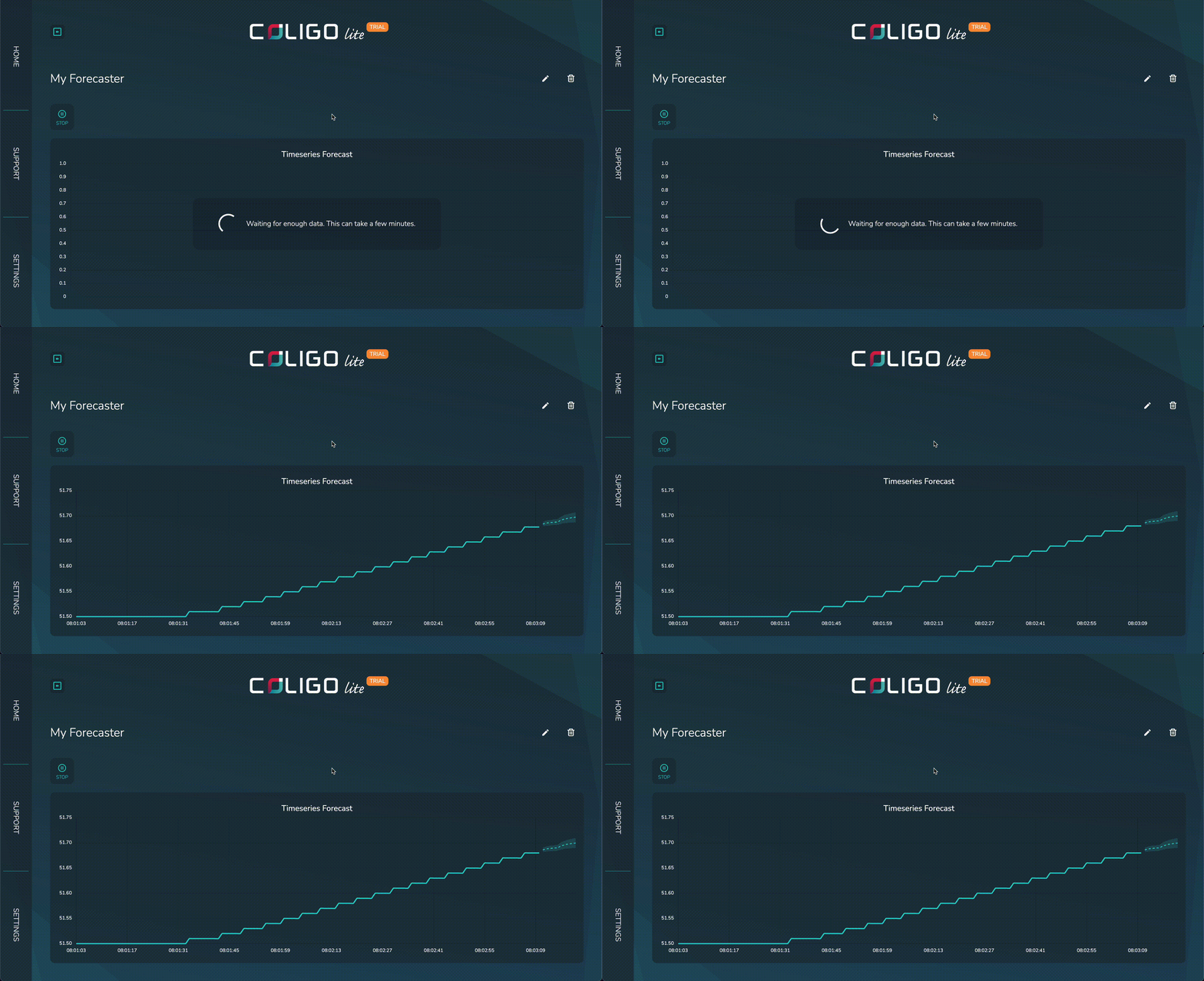
Before the forecaster can generate predictions, it needs to collect enough data points from the input topic. This is called "buffering." The interface will show a loading spinner as the buffer fills. No predictions are made until the buffer is full.
- If the buffer is not yet full, you will see a progress indicator.
- Once enough data has been collected, predictions will start automatically.
Viewing predictions
When the buffer is full, the forecaster will begin generating predictions for each new incoming value. These predictions will be displayed in the interface, updating in real time as new data arrives.
- If the input data stops, predictions will pause until new data is received.
- If the input data resumes, predictions will continue automatically.
- The forecaster does not retrain on every single new value. Instead, it will periodically update itself as more data accumulates. This means predictions remain accurate over time, but you may notice a short delay before the model adapts to significant changes in the data.
You can also manually stop and restart the forecaster at any time using the controls in the interface.
You do not need to manually start the forecaster—everything runs automatically once the buffer is filled.